360 Virtual Walkthroughs
Interactive, web-based building documentation you can share with anyone.
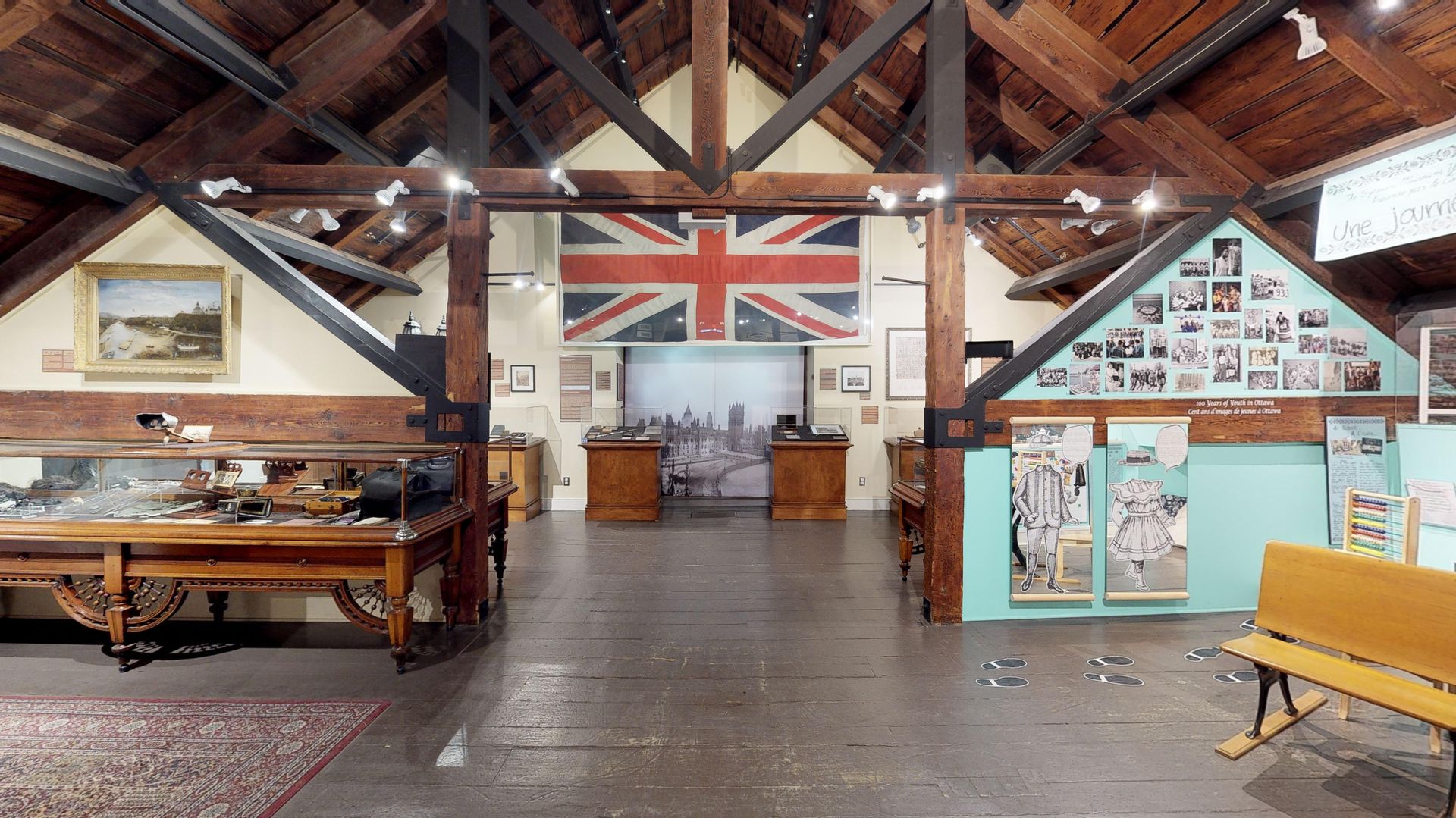
What Are 360 Virtual Walkthroughs?
A 360 virtual walkthrough is an interactive, web-based experience that allows anyone to navigate through a building remotely. Using panoramic imagery captured on site, the walkthrough recreates the spatial experience of being inside the building. Users move between rooms, look in every direction, and explore each floor from their browser, with no software installation required.
This is not marketing photography or promotional video. A 360 walkthrough is a documentation tool. It provides a persistent, shareable visual record of a building's existing conditions that project teams, stakeholders, and decision-makers can reference at any time. It is especially valuable for remote building review, pre-construction documentation, stakeholder presentations, archival records, and pre-lease walkthroughs.
We deliver hosted 360 walkthroughs for commercial, institutional, and industrial properties across Ottawa, Toronto, Montreal, and throughout Canada. Each walkthrough is accessible via a shareable link and can be embedded directly into your website or project platform.
Who Needs 360 Walkthroughs?
Property Managers
Document building conditions for lease negotiations, tenant handovers, and insurance purposes. A 360 walkthrough gives you a visual baseline you can reference years into the future without returning to site.
Developers
Share existing-conditions documentation with investors, consultants, and municipal reviewers without scheduling site visits. A hosted walkthrough keeps every stakeholder aligned on the current state of the property.
Architects
Review a building's existing conditions from your office before committing to a design direction. A 360 walkthrough supplements your scan data and drawings with the spatial context that only a visual walkthrough provides.
Institutional Clients
Universities, hospitals, and government agencies use 360 walkthroughs to document facilities across large campuses. Remote access reduces coordination overhead and makes building information available to distributed teams.
Our Walkthrough Process
On-Site Capture
We capture high-resolution 360-degree panoramic imagery throughout the building. Capture positions are planned to provide complete coverage of every room, corridor, and common area within the project scope.
Processing & Stitching
Captured imagery is processed, colour-corrected, and stitched into a seamless navigable experience. We connect all positions with intuitive navigation points so users can move through the building naturally.
Hosted Delivery
The completed walkthrough is published to a secure hosted platform and delivered via a shareable link. We provide an embeddable viewer option for integration into your website, project portal, or internal documentation system.
What You Receive
Every 360 walkthrough delivery is a fully hosted, ready-to-share interactive experience. No software downloads, plugins, or special hardware are required to view the walkthrough.
- Web-based hosted walkthrough accessible from any device
- Shareable link for distribution to stakeholders and project teams
- Embeddable viewer for integration into websites or portals
- Floor-by-floor navigation for multi-storey buildings
360 walkthroughs are a visual documentation tool and are not intended for dimensional measurement. For projects requiring spatial accuracy, pair the walkthrough with our registered point cloud or CAD drawing services.
Walkthroughs remain hosted and accessible for the duration of your service agreement. We can update or expand the walkthrough as your building changes over time.
Explore Our 360 Walkthroughs
Navigate through completed Matterport walkthroughs directly in your browser. Click and drag to look around, and use the floor plan to move between rooms.